YOLO, short for You Only Look Once, names a family of approaches to object detection in images. A detection output proposes regions, classes and scores. For a business, these may support scene checks, assisted inventory or event preparation from video. The complete application also includes data, rules, review and integration rather than the detector alone.
A rectangle drawn over an object does not mean the project is finished. Define the target class, what constitutes correct localisation and how misses or duplicate proposals are handled. In video, the same object can appear across many frames; adding detections does not automatically yield the number of distinct physical objects or accepted business events.
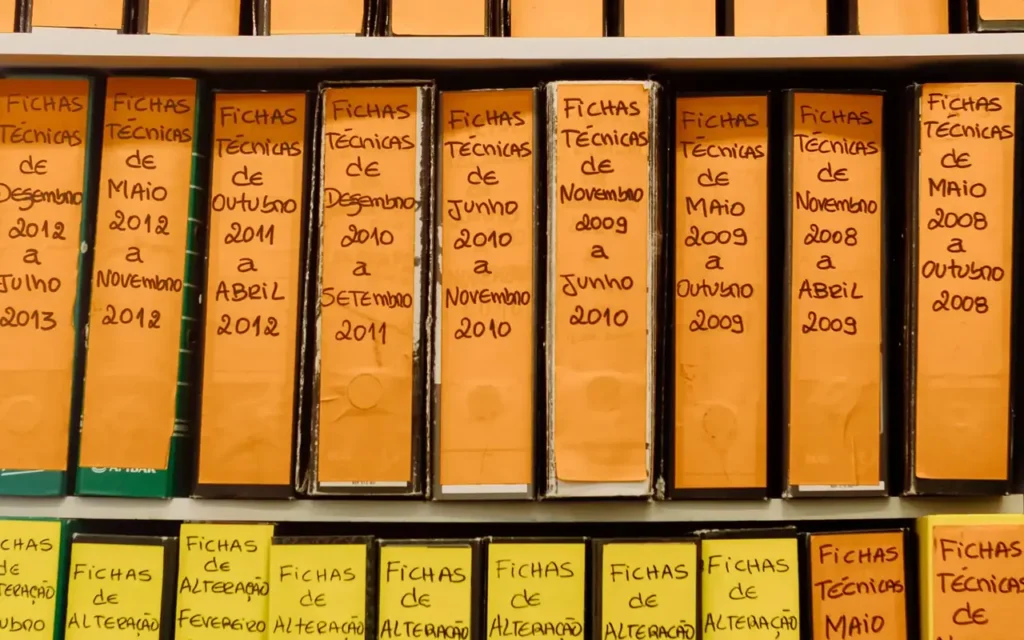
The diagrams and numbers in this guide are original demonstrations, not outcomes from a detector installed for a client. The photographs show organised physical items in an archive and software development. They are not YOLO screenshots, labelled training images for this example or internal WebHat customer systems.
What is YOLO, and why is a version name insufficient?
The detector family and actual implementation are different things
Redmon and colleagues' paper, first published in 2015, presented a unified approach predicting regions and classes from an image in one network evaluation. Subsequent models and implementations evolved. Do not attribute the original model's architecture, training, licence or speed to every detector carrying the YOLO name; each option needs its own technical description.
Specify the implementation, model variant, weights, configuration and execution environment. Retain these in the technical record to reproduce the output. A version number alone does not describe effective resolution, learned classes, image transformations or rules applied after prediction. Those details also matter when a component is updated within an otherwise unchanged application.
Within our map of types of artificial intelligence, the detector is a specialised component. It does not automatically establish an object's legal identity, a parcel's contents or an inventory decision. Define the function through observable information and the operation it needs to support rather than a general promise of visual understanding.
What does a detector return?
A class, region and score rather than a complete object record
Ultralytics documents detection outputs as bounding boxes, class labels and scores. Know the coordinate format: corners, centre and dimensions, pixels or normalised values. These are not interchangeable without conversion. Preserve their relationship with the original image, including after resizing or padding used to prepare model input, so the interface shows the region in the correct place.
In a business computer-vision application, we might locate containers on a shelf. The class describes the proposed type and the region its position. A verified inventory code requires additional information. Visual similarity must not implicitly replace an identifier in the company's system or merge records solely because objects look alike.
The detector is one stage in a process
- Valid frame
Known capture, time and link to its source.
- Prepared input
Transformations compatible with the model and configuration.
- Predictions
Classes, regions and scores for proposed objects.
- Application logic
Review, tracking or events under the requirement.
A rectangle often includes background, while segmentation describes pixels. If the operation needs a region's precise shape, select the appropriate task. Do not present a class score as a physical measurement or assume every pretrained model already knows the company's categories without relevant data and evaluation of the actual requirement.
How do we prepare project classes and labels?
A consistent definition matters more than many unchecked rectangles
Define each class and treatment of partly visible, overlapping or edge-truncated objects. Annotation guidance also describes exclusions. Reviewers must use the same convention. If a category receives inconsistent labels across batches, the model comparison will mix reference problems with prediction problems, making the cause of an apparent accuracy change difficult to identify.
The Ultralytics detection format uses rows containing a class and normalised centre coordinates and dimensions. It is a particular format, not a universal definition of every YOLO dataset. Check conversions visually against the corresponding images. A loadable file can still contain shifted regions, incorrectly mapped classes or unlabelled objects that distort both training and evaluation.
Separate training, development and test batches according to future use. Nearly identical frames from one sequence must not be mixed uncontrolled when evaluating new scenes. Include examples without the target and relevant difficult conditions rather than only frames where objects appear large and perfectly separated. The reference should represent the intended operating domain.
In supervised learning, the reference determines which errors can be measured. For a custom project, also check conventions for edge-truncated objects. A class-list or class-ID change requires review across the whole path, from training files to labels displayed in the interface, not merely editing one visible name.
What happens between capture and prediction?
Track preprocessing and configuration together with the model
The pipeline prepares image dimensions, channels and transformations compatible with the model. In implementations using letterboxing, an image may be resized with added padding. Interpret resulting coordinates in the correct space. A region incorrectly drawn over the original can reflect conversion rather than necessarily a model error, so check both stages before changing components.
Concepts from convolutional neural networks explain part of feature extraction, while the detector also has a task-specific output. Do not assign identical anchors, heads or postprocessing to every implementation. Document the selected option and verify outputs after export or an execution-engine change rather than assuming equivalence from a successful file load.
Retain configuration with reviewed pilot examples. A resolution, threshold or model change can then be compared on the same images. Do not optimise frame count alone: measure which details remain visible, which objects are missed and how long the full path takes to deliver a usable output to the application or reviewer.
What is IoU, and how do we check localisation?
Overlap is divided by the union, not one region's area
Intersection over Union, or IoU, compares the common area of two regions with their union area. In evaluation, combine it with class and reference-matching rules. Strong overlap with an object from another class does not automatically satisfy the task. Also consider whether several predictions attempt to describe the same reference object.
Two equal regions with partial overlap
- A · Reference, solid outline
8 × 8 = 64 square units.
- B · Prediction, dashed outline
8 × 8 = 64 square units. Intersection: 6 × 8 = 48.
- Union and IoU
Union: 64 + 64 − 48 = 80. IoU: 48/80 = 0.6.
In our example, the same geometric output passes one threshold and misses another. There is no single label of “good precision” without a protocol. Approximate localisation can have different criteria from a project using the region in subsequent measurement. Define the criterion before selecting only images where the model looks convincing.
Why do score and overlap thresholds serve different purposes?
Selecting proposals is not the same as evaluating them
A score threshold determines which proposals remain in the analysed pipeline. In non-maximum suppression, an overlap threshold can control removal of overlapping proposals. During evaluation, an IoU threshold establishes matching against the reference. These stages answer different questions and must not be confused merely because their values use similar ranges.
Three thresholds or rules that must not be confused
- Detection score
Which proposals do we retain for subsequent analysis?
- Postprocessing overlap
How do we handle proposals describing the same object, if the implementation uses this stage?
- Evaluation matching
Which class and overlap against the reference make a prediction count as correct?
Some variants also provide NMS-free inference; current Ultralytics documentation explicitly describes different behaviours. A postprocessing parameter is not a universal rule for every model. Check its meaning in the selected implementation and retain the configuration in the test report rather than carrying an identically named setting across options without verification.
Select thresholds using development data and operational consequences. Raising one may remove proposals, but does not itself correct a wrong class or unsuitable capture. Test misses and false alarms, with an explicit review path for cases needing inspection. Do not present a model score as a verified probability that its interpretation is true.
How do we count objects in video without adding every frame?
Detection, tracking and events are three separate levels
A detector proposes objects within a frame. A tracker associates proposals between frames and assigns tracking IDs. Application logic defines an event, such as crossing a region in a particular direction. Ultralytics documentation separates detection, tracking and counting. A tracking identifier does not automatically represent a verified inventory code or permanent identity for the physical object.
The same object in 4 frames, one demonstrative event
- Frame 1
P7 is before the region. New events: 0.
- Frame 2
P7 approaches the crossing. New events: 0.
- Frame 3
P7 satisfies the crossing rule. New events: 1.
- Frame 4
P7 remains beyond the region. New events: 0.
Test objects that overlap, temporarily disappear or return within an actual scene. An ID can be interrupted or changed, and nearby objects can be associated incorrectly. Do not build a commercial total by assuming perfect continuity. Define handling of unclear events, re-entry, directions and processing-session resets so the intended event remains consistent.
Saving an event needs its own duplicate protection. When a sequence or operation is repeated, the application must distinguish repeated evidence from a new event. Design the key and reconciliation around the process. Keep frames containing detections separate from accepted-event totals rather than presenting them under one unqualified count.
How should we interpret precision, recall, AP and mAP?
The complete protocol makes a percentage comparable
Precision concerns the proportion of predictions counted as correct; recall measures coverage of reference objects. AP summarises the precision–recall relationship under a protocol, while mAP aggregates across classes and, depending on reporting, localisation thresholds. Declare matching thresholds, classes and conventions. Do not equate mAP with the percentage of correct objects in a commercial workflow.
For counting, evaluate events separately. A detector may localise many frames well while a tracker loses an object before the counting region. Distinguish visual error, association error and save error in the report. That separation identifies where to correct the cause rather than replacing the whole model whenever a final total differs from the reference.
Inspect relevant classes and conditions: image size of the object, lighting, occlusion and camera. Compare the same examples and retain failures, not just successful frames. Keep the final test separate from model and threshold selection. A public-dataset score does not automatically describe performance on the company's shelves, containers or parcels.
Specify duplicate rules too. In a one-to-one matching protocol, several proposals for one reference do not become equally many independent successes. Identify these cases alongside unmatched objects in the report. An attractive annotated image does not replace verification of the associations used to calculate a metric or establish an operational result.
How do we measure speed that matters to the application?
End-to-end latency differs from one inference time
Ultralytics benchmarking and export documentation describes how execution environment and format affect evaluation. Measure on intended infrastructure with declared resolution, numerical precision, batch size and versions. Do not copy a supplier-table speed as a WebHat outcome or assign it to every device simply because the model carries the same name.
The pipeline includes capture, transfer, preparation, inference, postprocessing and integration. A video-frame queue can develop: processing every frame increases delay if the system cannot keep up. Evaluate a frame-skipping strategy against the event being observed. The decision follows process requirements rather than the displayed FPS number alone, because missed intermediate evidence may matter.
After export or quantisation, recheck quality, coordinates and behaviour under accepted conditions. File compatibility does not prove every output is equivalent. Retain configuration with tests and compare effects on events, including the time until an operator or system can use the result rather than timing just the network calculation.
Separate initial loading from steady-state processing in the report and declare whether image transfer is included. For a live pipeline, also track the frame's age when its result is used. This distinguishes quickly delivering a current result from quickly processing an already delayed queue, two behaviours that can look similar in a narrow benchmark.

What do we check before using YOLO in a commercial product?
Record the provenance of code, weights and data together with rights applicable to the particular use. Ultralytics publishes AGPL-3.0 and Enterprise options for its implementation. Do not treat YOLO as one universal licence across projects. Check distribution and usage configuration before integrating into a private application or customer-facing service rather than inferring rights from a family name.
In custom software development, the deliverable also includes the interface, control workflow and monitoring, not merely loading a model. Define technical errors and intervention cases. An unavailable camera or absent valid result must not be displayed as confirmed absence of objects, because those states have different operational meanings.
Apply data protection in AI applications to capture and access. For object inventory, do not implicitly collect more of the scene than the purpose needs. Images, outputs and logs need explicit retention, access and removal rules appropriate to the solution and authorised data, including what is retained for later review.
How do we turn a pilot into a useful business function?
Start with the object, scene and intended action. For business automation with AI integration, specify proposed events, required confirmation and which system may be modified. The detector supplies information; the application checks that an operation is authorised and its effect matches the approved rule, with an explicit exception path.
From detection to a verifiable event
- Explicit rule
Define the region, direction and condition constituting an event.
- Checked continuity
Track the object and handle interruptions and ID changes.
- Proposed event
Retain time, source and evidence required for review.
- Controlled save
The application checks authority and prevents repeating the same operation.
- Reconciliation
Compare outcomes with the reference and correct observed causes.
A business dashboard with automated reports can separate detections, tracked objects, proposed events and accepted events. Give every indicator a definition and period. Showing a total without this distinction can conceal a counting error even when annotated images look correct, because visual plausibility and event accounting are different checks.
A meaningful estimate needs authorised examples, classes, capture conditions, workload and output destination. The pilot compares suitable options and documents exceptions. Extend functions evaluated for the particular process, with clear responsibilities for review, updates and outcome reconciliation rather than presenting a general detector demonstration as a completed operational integration.
Frequently asked questions about YOLO detection and counting
Does YOLO automatically recognise a company's own products?
A model has particular classes and training data. Check whether its output matches project categories; custom classes may require labels and adaptation. Test representative examples and preserve the distinction between an object's type and its inventory identifier rather than assuming a visual label provides both.
Does a high score mean the object is certainly identified?
The score is a model output interpreted within evaluation. Class, localisation and operational identity are different checks. The application must follow its agreed criteria and review path rather than automatically accepting the highest number or presenting it as proof of a verified business record.
Do IoU and confidence score mean the same thing?
No. IoU measures geometric region overlap. A detection score selects proposals according to the model. A postprocessing IoU threshold can serve a different purpose from reference matching during evaluation. Check parameter meanings precisely rather than assuming one setting controls all three stages in the same way.
Can we count objects by adding detections across all frames?
The same object can appear in successive frames. Distinct-object or region-crossing counts need temporal association and tested event rules. Handle interruptions, ID changes and repeated processing so the same situation is not recorded repeatedly or mistaken for a new physical object each time it appears.
Does every YOLO require the same postprocessing?
Implementations and inference modes differ. Some use NMS, while others can operate without that stage. Document the option, parameters and verified behaviour. Do not automatically transfer a configuration between models merely because their names belong to the same family or their interfaces expose similarly named arguments.
Can we begin with a narrowly scoped pilot?
Yes. Choose a bounded scene and class set with authorised data, a reference and acceptance criteria. Evaluate the detector and full workflow, including review and saving the result. This identifies error causes before extending to other conditions, while keeping the intended function and responsibilities clear.