
Completed project · Digital reception

CRM for Berry Fitness

Fitness centre and aerobics activities · Bucharest

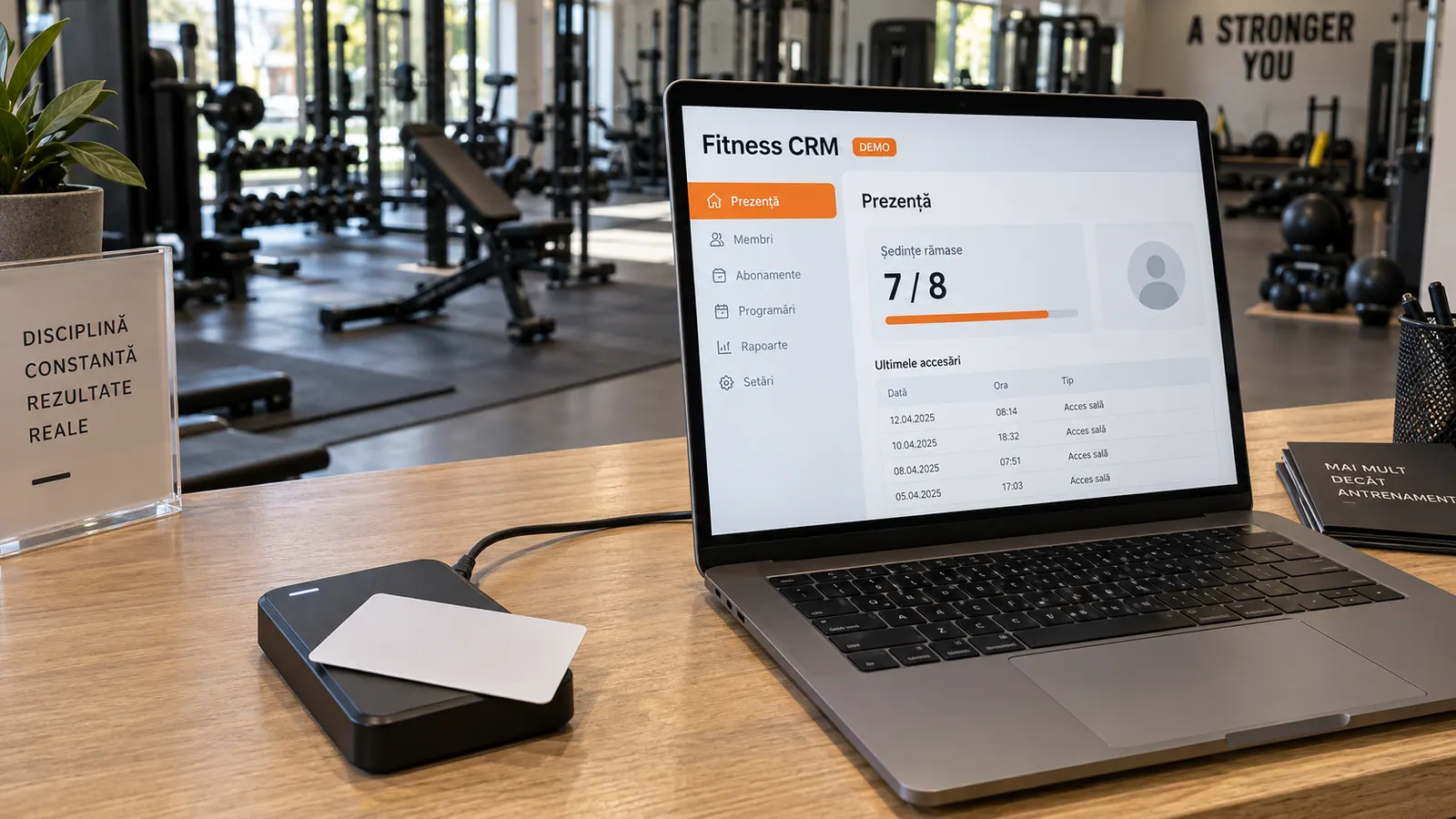
One card, the right profile and clear session records. We developed a custom CRM connecting the reception card reader to members, memberships and activity history.

The project focuses on daily operations: fast identification, verified check-in and a traceable balance. Reading a card, confirming attendance and deducting a session are distinct operations.

USB card reader Session check-in History and balance PHP + MySQL

What we built

Reception works with members and sessions, not parallel registers

Speed at reception matters for a fitness centre. But a quick scan is not enough: the correct member must be identified, the membership checked and the reason for every deducted session retained. The CRM brings these operations together without automatically turning every card read into attendance.

The reader opens the member's profile

The proximity card is read at reception and matched to its active CRM association. The printed number used by staff is separate from the full chip code. Reception reaches the member's profile and memberships without retyping data. An unknown card requires enrolment; it does not create attendance.

Session check-in with membership validation

In check-in mode, the server verifies the profile, location, validity and remaining sessions. Automation is allowed only for an eligible membership and an unambiguous option, with no recent or advance attendance entry requiring review. When several memberships or options are possible, reception explicitly selects what to record.

Separate scan and attendance history

A scan can mean identification, a pending choice, successful check-in or closure without a deduction. The log retains the result and context at that time. Attendance and membership movements show sessions actually recorded. A transport acknowledgement is not reported as participation.

Members, memberships and the card lifecycle

The profile brings together data, memberships, attendance, bookings and internal comments. The card is linked to a person rather than a single membership. Replacement, deactivation or release ends an association without deleting attendance or balances. Shared cards have explicitly defined members.

Hardware and software integration

From a physical card to a verified CRM operation

The USB reader does not send a deduction command directly to the database. A Windows program connects it to the CRM, and the server decides which operation is allowed in the reception session and location.

Card and USB reader

EM 125 kHz proximity reader integration through the device SDK.

  • Full-code reading
  • Identity of each reader
  • CRM association, without writing to the card
Reception software

A Windows agent connected with the station's own key, separate from the operator's account.

  • Event transmission
  • Connection and device status
  • Acknowledgements and controlled commands
CRM and database

The PHP/MySQL application checks role, location, card and membership before deducting a session.

  • Identification or check-in
  • Attendance and balance transaction
  • Log of the scan result
Card → USB reader → Windows program → CRM → verified result. Physical reading and session recording remain distinct stages.
1

Reception

Identifies members, checks memberships, associates cards and records attendance at the authorised location. Unclear cases remain with the operator rather than being resolved by selecting the first membership.

2

Manager and club administrator

Coordinates operations and works only at permitted locations. Access to data and actions is checked on the server, not merely hidden in the menu.

3

Owner

Manages users, permissions and sensitive reporting areas. Financial reports and administrative settings are not made available to all operators by default.

4

Coach

Views their own schedule and activity. Recording attendance requires a dedicated permission, and their access does not automatically extend to the entire member database.

5

Client

The portal can provide data, memberships and requests for the client's own profiles according to granted access. Having a card or an operational record is not equivalent to personal authentication.

Scan workflow

What happens when a member presents their card

Reception sees the operating mode and selected location. The CRM receives the event, identifies the association and checks the current state. The result depends on the active mode and eligibility, not simply on the reader detecting a card.

Card read at the connected reception
Identify the profile and active association
Check location, memberships and balance
Operating mode and verified decision
Identification Profile opened without a deduction

In identification mode, the card helps reception find the member. Viewing the profile or checking the card does not deduct a session from the membership.

Check-in Attendance and balance updated together

A single eligible case can be checked in automatically. If there are several options or a recent attendance entry already exists, reception chooses explicitly. The confirmed operation links the session to the membership, operator and scan.

Intervention required Reason displayed, no default deduction

An unassigned card, no eligible session or an association needing review requires intervention. Closing a request neither records attendance nor restores a session; the log retains the outcome.

For example, a confirmed fitness visit on an eight-session package changes the balance from 8 to 7 and retains the link to the scan. Resending the same event does not justify another deduction. Corrections use the authorised attendance operation, not deletion of the scan. For recurring bookings, an advance entry is marked separately: the card-read date is not confused with the session date.
Scan history, attendance and membership movements: three connected records with different meanings.

Technical decisions

Automation when the decision is clear. Control when it is not.

Hardware integration is only the beginning. What matters is how the application handles the read event: what it checks, when it can record attendance, how it treats repeats and what it retains if a card is replaced or attendance is corrected.

Web application and Windows agent with distinct roles

The CRM runs on PHP, HTML/CSS/JavaScript and MariaDB/MySQL, independently of WordPress. The local agent reads the hardware and communicates with the server. In the version presented, attendance validation requires a CRM connection. Retrying scan transmission is not an offline operating mode.

A deduction is a transaction, not a visual effect

The server rereads current data and uses transactional locks for sensitive operations. Attendance, balance movements and scan results are connected. A unique identifier protects against reprocessing the same event, and simultaneous scans use the same mechanism.

History retained when a card is replaced

The log preserves the person, card number and context known at the time of scanning. A later reassignment does not attribute old attendance to the new holder. Correcting the printed number or changing the association leaves its own audit trail. Identification uses the full code, not its last four characters.

The card is not a password or physical access control

A static proximity code identifies a card; it does not authenticate staff or prove a person's identity on its own. Check-in is therefore tied to an active reception, an authorised operator and a permitted location. The project presented is not described as a turnstile or door-control system.

Flexible fitness visits and scheduled activities

The catalogue distinguishes fitness visits without a coach from instructor-led services with recurring schedules. Activation accepts only options with complete rules. Aerobics packages including guest passes remain blocked from allocation until the pass issuance and consumption workflow is completed. This feature is not presented as delivered.

Reports that distinguish plans from results

Attendance records are based on confirmed operations, not simply on a scheduled time passing. Internal comments retain the author and timestamp without consuming sessions. Membership value and actual receipts are distinct concepts; the value report does not replace cash closing.

WebHat experience

Device integration is useful when it preserves the business rules

The Berry Fitness project shows how we connect a simple physical action — presenting a card — to a controlled software process. We do more than display a profile: we check who is operating, which membership can be used, what is deducted and what evidence remains. For other gyms, clubs and session-based services, the CRM is designed around their own rules and equipment.

  • Integration between the USB reader and web application
  • Identification separate from session check-in
  • Memberships and balances validated before deduction
  • Scan, attendance and association history
  • Permissions, transactions and audited interventions