Editorial note (July 2026): Google advises that most websites do not need to disavow backlinks. The tool is an advanced measure for a considerable volume of spammy, artificial or low-quality links that has caused, or is likely to cause, a manual action; using it incorrectly can damage search performance. The material below is retained as a translated reference, not as a recommendation for routine cleanup. Read the official Google guidance before changing a disavow file.
SEO specialists and website owners make constant efforts to bring their pages to the first position in Google results.
However, negative SEO tactics directed against highly ranked sites still exist. Although they are no longer as aggressive as in the past, they can still affect the organic position of a site.
In general, negative SEO can include the following tactics:
Filling the domain with spam links
Deleting quality backlinks
Hacking
Creating spam backlinks or toxic sites
It is important to mention that Google has become much smarter and tends to ignore most fake links. However, it is always useful to clean up your online visibility and remove spam links, as some may still escape Google's webspam filter.
This article explains what toxic links are, how they can affect you and how you can safely remove them.
Quality links vs. toxic links
In general, quality links come from trusted sources. These are often placed editorially, when someone finds your content valuable and chooses to link to it.
On the other hand, according to Google's link scheme rules, toxic links from shady sites are those created with the goal of manipulating a site's PageRank or position in Google search results — thus violating Google policies.
These toxic links are not placed naturally, but added intentionally by people trying to artificially increase their ranking in search engines.
Among the signs that indicate low quality links or manipulation attempts are:
- Sites created exclusively to send links to other pages.
- Sites and content with no thematic connection.
- Sites that are not indexed in Google.
- Forced comments on blogs.
- Links inserted in the footer of a site.
- Links placed on every page in a domain.
Links that use exact anchors with commercial terms (known as "money keywords") are also considered problematic.
Backlink analysis – what it is and why it is important
If you don't regularly analyze your backlink profile, now is the right time to start. The more you know about your own link portfolio and those of your competitors, the more effectively you can improve your SEO strategy and organic performance.
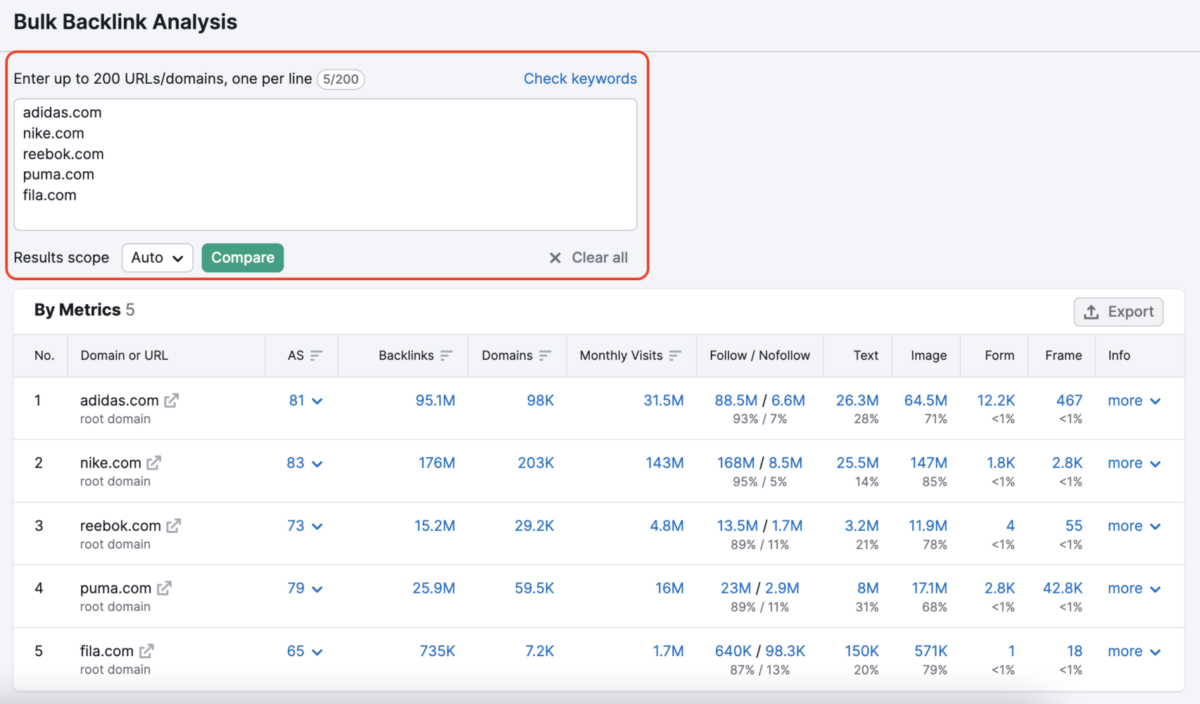
Analyze the backlink gap against competitors
This step helps you understand the difference between your link profile and that of your main competitors. Knowing both your own backlinks and those of your competitors allows you to assess how big the challenge is to surpass rival sites in the ranking. In this way, you can develop an effective strategy to reduce the difference and obtain a competitive advantage.
Without knowing the characteristics of competitors' links, you are basically acting "blind". A detailed comparison between your domain and other domains in the same niche provides a clear picture of the strong points and those that require improvement. The more precise the comparison, the more effective your SEO strategy will be.
Identify and remove negative links to protect your SEO scores
A periodic evaluation of backlinks is one of the most effective methods to discover early the problems that can affect the site's position. This way you can intervene quickly to protect your ranking and improve your SEO scores.
If you have previously been affected by bad or toxic links, it is essential to perform a detailed analysis to correct the situation and regain your lost position in the results.
Like a regular medical checkup or a technical inspection for a car, backlink analysis helps you identify irregularities and fix them before they cause serious damage. Learning how to remove toxic links is an essential skill in any online activity.
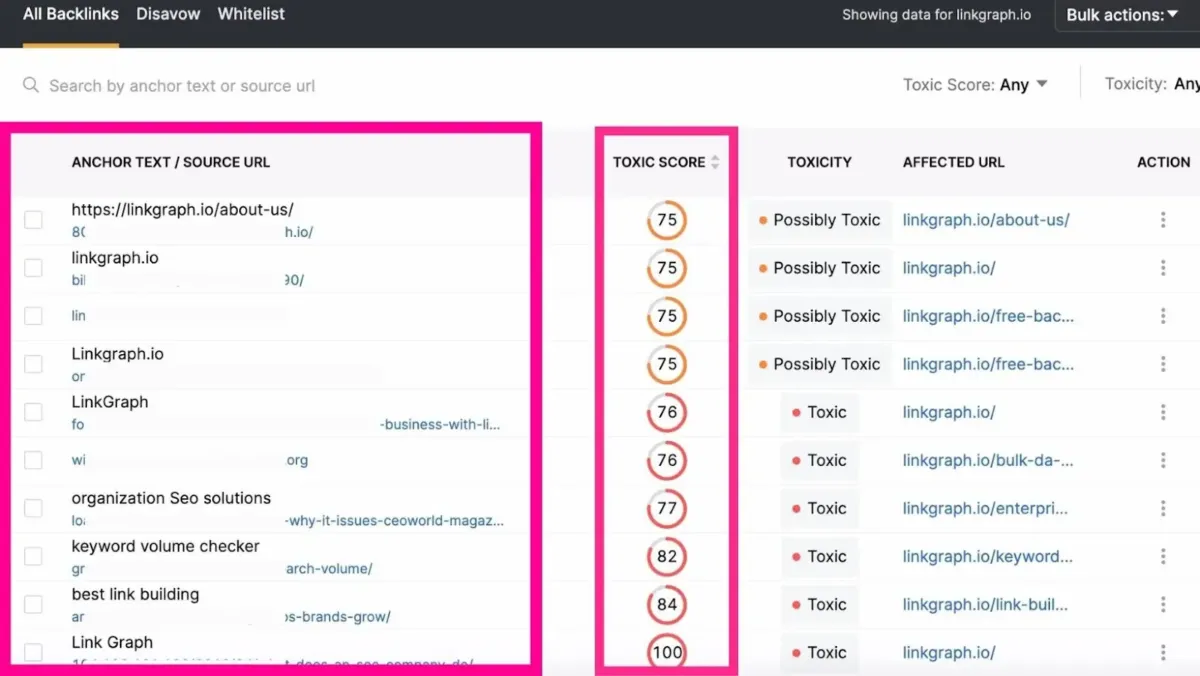
How toxic links affect organic ranking
In the past, toxic links were widely used and had a significant impact on search engine rankings. Currently, Google's algorithms have improved considerably, as have efforts to combat online spam (including artificial links).
Today, the focus is on quality, not quantity, and low-quality links can seriously affect organic traffic and search rankings. The 2012 Google Penguin algorithm update was aimed precisely at removing unnatural links, completely changing the way a healthy link profile is built.
So let's see how toxic links can influence the toxicity and spam scores of a site.
1. Manual penalties caused by toxic links
If the Google Webspam team analyzes your link profile and discovers a significant amount of spam, your site may be manually sanctioned. Google clearly mentions:
"A manual action is applied when a human evaluator finds that a site's pages do not comply with the quality requirements set by Google."
Such penalties are rarer nowadays, because they require time and resources, but they can appear in situations such as:
- Spam reports made by competitors.
- Problems automatically identified by algorithms and checked manually.
- Belonging to a niche with spam content.
The notification regarding the penalty appears in Google Search Console, in the Manual Actions section. The affected pages can be individual or even the entire site, and the ranking deteriorates before the penalty becomes active. The positions cannot be recovered until the penalty is lifted.
To request re-evaluation, you must first remove or disavow the toxic links that caused the problem.
2. Algorithmic filters
The most frequent situation is automatic filtering by algorithms, without human intervention. In this case, the rankings are automatically adjusted when the system detects toxic links.
The Penguin filter is primarily responsible for identifying these links. You will not receive a notification, and there is no appeal process. Usually, you may notice a significant decrease in traffic and organic visibility, which can affect the entire site or only certain pages.
To recover from an algorithmic filter, it is essential to stop the practices that triggered the problem and disavow the harmful links. However, the initial positions may be difficult to fully recover because these links provided an artificial advantage.
3. Avoid toxic link building practices
To protect your site, avoid strategies that can generate harmful links and increase the toxicity score.
Paid links
Paying for links directly violates Google policies. This includes any form of payment, sponsorship or offering products/services in exchange for a link. If the purpose is different (e.g. visibility or referral traffic), specific attributes must be used for transparency so that Google does not consider the link toxic.
Exact match anchors
Repeated use of the same keywords in the anchor text makes the links look artificial and dangerous.
Blog Networks (PBNs)
Private blog networks created exclusively for sending links are a "black hat" practice. Even if they initially seem natural, Google manages to detect them and applies severe penalties.
Spun articles and duplicate content
This method, popular a decade ago, involved creating automated articles in hundreds of versions and publishing them to directories. Such practices can lead to penalties and increase the spam score.
Spam comments on blogs and forums
Automated comments, which contain irrelevant links, are another common form of spam. Google easily identifies them, and they do not offer any real SEO benefit.
Widgets and plugins with an embedded link
If you distribute a widget or plugin that automatically includes a link to your website, you are breaking Google's rules. These links are considered manipulative.
Reciprocal link exchanges
Although the natural exchange between two sites can be acceptable, when it is done on a large scale and between domains with no thematic connection, it leads to unnatural links and increases the toxicity score.
How you can identify and remove toxic links
To avoid penalties and to protect your search position, follow these steps:
- Create a full link audit
Analyze the main domain, category and target country, to have a correct picture of your link profile. - Connect your Google Search Console account
The integration provides access to detailed data and allows you to submit a disavow file for harmful links. - Analyze the audit results
Review the key indicators and overall health of your backlink profile. Then, drill down into the results to identify the problematic sources and the links that need to be removed or disavowed.
By constantly monitoring and periodically cleaning your link profile, you can maintain a stable ranking, healthy organic traffic and a secure online reputation.
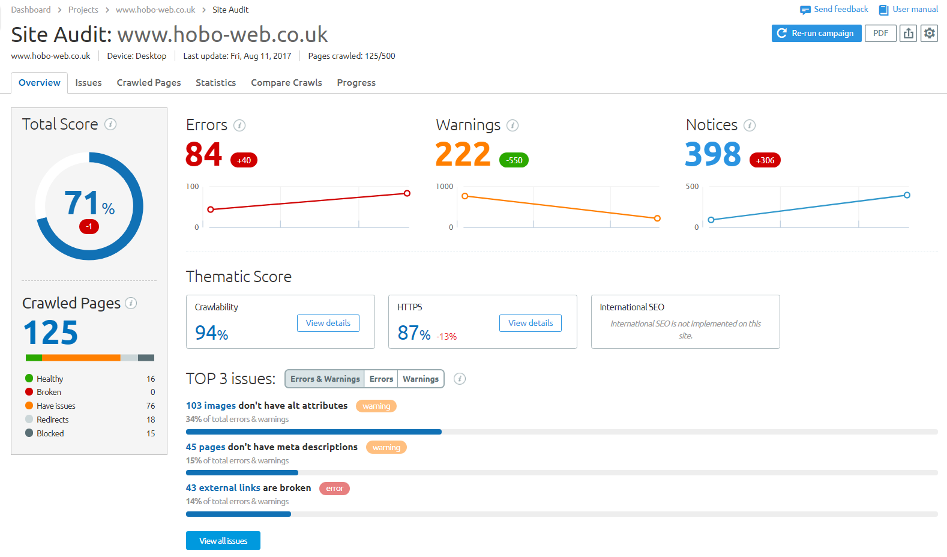
4. Familiarize yourself with your link profile
At this stage, you can view a summary of your site's backlink profile. Pay attention to the overall toxicity score and identify the links that may be harmful.
5. Start the toxic link audit
Make sure the results are sorted by toxicity score, to resolve the highest risk links first.
The toxicity score is calculated on a scale from 0 to 100 — where 0 indicates a safe link and 100 an extremely dangerous link. It is based on over 50 different indicators that help assess the risk for the site's ranking.
Examine the risk signals associated with each link before deciding on the appropriate action. In general, it is recommended to remove or add to the disavow file all links that have a high toxicity score.
6. Create a white list (whitelist)
To maintain a clean profile, it is useful to create a list of safe domains — those that have a low toxicity score or that you know to be natural and risk-free. Selected links can be added to this list to be kept.
How to remove toxic links
After you have created the whitelist, you will be left with the dangerous domains. To improve the toxicity score, you must act on these links.
If you have received a manual action, it is essential to learn how to remove toxic links and avoid such situations in the future.
If instead you are performing routine cleanup or have noticed a decline caused by an algorithmic filter, you can go directly to the disavow step.
1. Create a list of links for removal
After selecting one or more problematic links, you can generate a removal list directly from the audit tool.
Add these links to the To Remove section. This action assumes that you have identified a contact address to which you can send the removal request. If there is no direct method, you can choose to disavow the links through a disavow file.
2. Connect your email address
If you use a Microsoft or Gmail e-mail account, access the removal section and connect your address to the tool used. Thus, you will be able to send removal requests with a single click.
Click the Add button next to the email field to connect the account.
3. Submit the removal request
The process is simple: select the links from the removal list and press the Send button next to each URL.
You can customize the message template, but in most cases it is enough to enter the email address of the target domain and send the request.
For example:
"Hello,
We noticed that your domain contains a link to our website, which is not relevant to the published content. Please help us by removing this link.
Thank you for your understanding."
Through this process, you will gradually reduce the number of harmful links and significantly improve the SEO profile of your site.
4. Monitor removal requests
The last step in the process of removing toxic links is monitoring the responses received. This can be done in the column dedicated to the status of the audit report.
Thus, you can see what stage each link is in and you can come back later to send a follow-up or to resend the request if the initial message was not opened or did not receive a response.
5. Manage the removal list
You can browse the list of links for removal at any time, tracking the progress of each case.
If certain toxic links cannot be removed manually, the next step is to disavow them.
Disavow toxic links
If you perform a periodic analysis of the link profile and you cannot remove dangerous links manually, it is necessary to add them to a disavow file.
This file instructs Google to ignore those links when evaluating your site's ranking.
It is an effective method to reduce the negative influence of toxic links and to improve your SEO scores.
Disavowing harmful links can help a penalized site recover or prevent future penalties.
However, this process must be done with caution, because an incorrect use of the tool can affect the overall performance of the site.
1. Upload the disavow file
Some important aspects to remember:
- When you upload a new file, all previous versions are overwritten.
- It is the user's responsibility to ensure that the file contains all previously disavowed links, not just the new ones.
- After uploading the file, it can take up to six weeks for Google to apply the changes.
If you have previously uploaded a disavow file, you can add it directly from the Disavow tab of the tool used.
If it's the first time, you can skip this step and go directly to creating the new file.
2. Add links to the disavow list
Return to the backlink audit, select the links you want to disavow and press the Delete button to send them to the disavow list.
As a general rule, it is recommended to disavow at the domain level, not just individual URLs, to ensure that all current and future malicious links on that domain are covered.
Add these domains to your final disavow list.
3. Export the disavow file
After you have verified that the list is complete and includes all identified toxic links, export the file in .txt format using the Export to TXT option in the upper right corner.
This will be the final file to be uploaded to the Google Disavow tool.
4. Send the file to Google
Access the Google Disavow Tool, logged into your Google Search Console account.
Upload the .txt file and press Submit.
The process is complete, and Google will gradually begin to ignore the specified links when evaluating your organic ranking.
Final recommendation
Performing a periodic backlink audit is essential for maintaining the site's SEO health. This analysis helps you identify and remove toxic links in time, before they affect organic traffic or your domain's reputation.
Learning the correct process of identifying and removing harmful links is a valuable skill for any SEO optimization specialist.
A complete and constant audit allows you:
- to monitor bounce rate and organic traffic;
- to check performance on social networks;
- to detect pages with errors (404) that contain backlinks;
- to track keywords, indexing and link structure;
- to optimize the speed and user experience on mobile devices;
- to maintain permanent technical control over the site.
Through these practices, you will ensure a stable, safe and sustainable online presence over time.